 Kara
Download
Kara
Download
Kara
Download
Kara
Download
Hold a key, say it out loud, let go. Your words land in whatever app you are using. No internet, no account, no subscription.
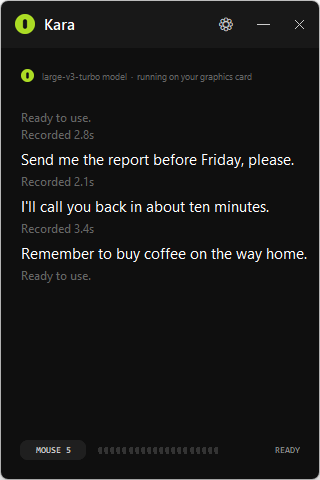
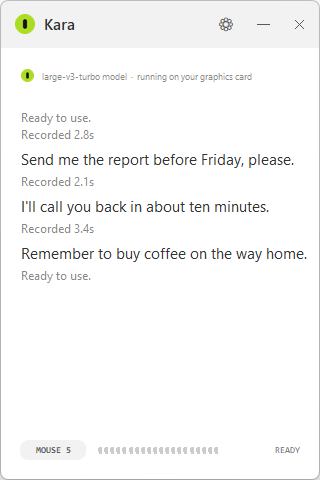
No actors, no script -- just Bryan talking to his own PC, an RTX 3070, which is why it's this fast.
The NVIDIA edition includes its CUDA support. No download is needed after installation.
Kara 0.3.4 · Windows 10 and 11 · nothing else to install
Step by step install guide
· All files and release notes
Automatic language detection is back: switch languages between dictations.
Mixing languages in one recording can cause errors. A fixed language can
improve accuracy, especially on short clips.
How it works
The speech recognition runs on your own computer using Whisper. Your voice is never uploaded. You can pull out the network cable and it still works.
What it looks like
How it compares
| Kara | Windows Voice Typing | Dragon | Otter.ai | |
|---|---|---|---|---|
| Price | Free | Free | Paid | Free tier, then paid |
| Works offline | Yes | No | Yes | No |
| Needs an account | No | No | Yes | Yes |
| Types into any app | Yes | Yes | Yes | No |
| Voice commands | No | Some | Yes | No |
| Open source | Yes | No | No | No |
Dragon is bought mostly for controlling a computer by voice, and this does not do that. It dictates text, and it does that part for free and without a connection.
Questions
Yes. The first run downloads the speech model, about 460 MB. After that it never needs the internet again, and your voice is processed entirely on your own machine.
Yes, and it is open source under the MIT license. No account, no subscription, no paid tier, no trial that runs out.
For dictation, yes. You hold a key, speak, and the text is typed for you. It does not replace Dragon's voice commands for driving Windows by voice.
Windows Voice Typing sends your audio to Microsoft and needs a connection. This runs the model locally, works with no connection at all, and lets you pick a larger and more accurate model than the built-in one.
Spanish, English, Portuguese, French, German and Italian. You choose one rather than letting it guess, which makes it faster and stops it from getting the language wrong on short recordings.
No. The CPU edition runs on your processor. If you have a compatible NVIDIA card and a current driver, install the NVIDIA GPU edition for faster transcription.
No. Nothing leaves your computer. The microphone is only open while you hold the key, so nothing is listening the rest of the time.
Insert by default, and you can change it to any key or an extra mouse button. Avoid normal letters: the key is not blocked, so choosing q would start a recording every time you typed one.